

Table of Contents:
ToggleIntroduction
In today’s digital marketplace, online reviews influence buying decisions more than ever. Before choosing a restaurant, salon, shop, or service provider, most customers check reviews first. That’s where Google Review Stickers come in.
A Google Review Sticker makes it incredibly easy for customers to leave feedback instantly — helping your business build trust, improve visibility, and attract more customers.
What Are Google Review Stickers?
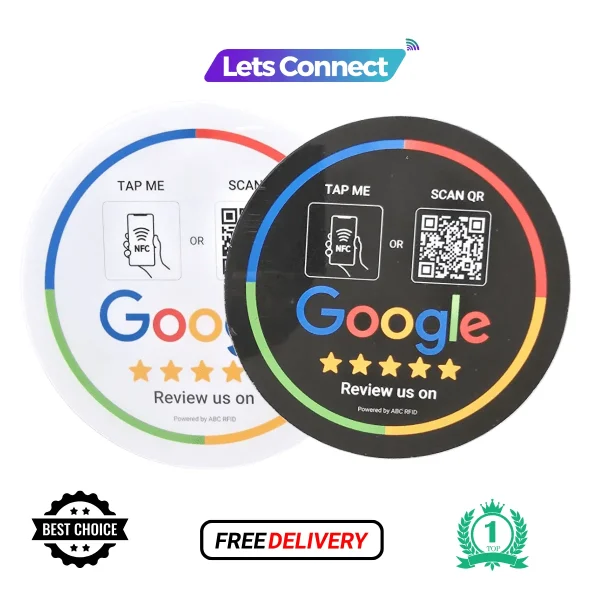
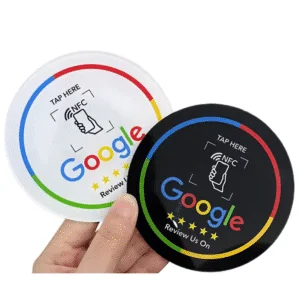
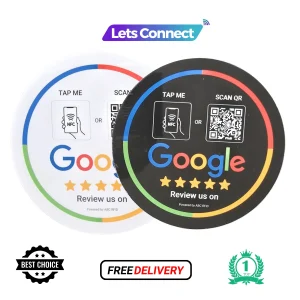
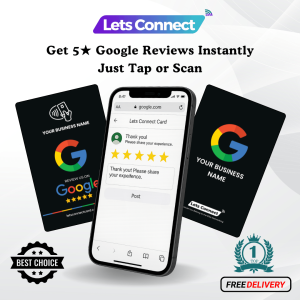
Review Stickers are physical stickers that contain a QR code or NFC tap feature linked directly to your Google Business Profile review page.
Customers simply:
- Scan the QR code with their phone camera, or
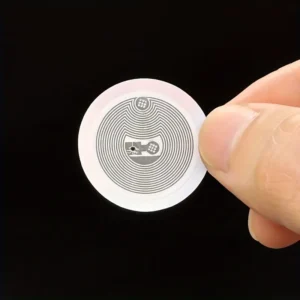
- Tap the sticker (if NFC-enabled),
And they are instantly redirected to your review page where they can leave feedback.
No searching. No typing. No confusion.
Why Google Reviews Matter for Your Business
Online reviews impact:
- Customer trust
- Local SEO rankings
- Purchase decisions
- Brand reputation
- Revenue growth
Businesses with more positive reviews often appear higher in local search results and Google Maps listings.
The easier you make it for customers to leave reviews, the more likely they are to do it.
How Google Review Stickers Work
- A unique QR code or NFC link is created for your business review page.
- The code is printed on a sticker.
- The sticker is placed at your checkout counter, reception, or entrance.
- Customers scan or tap to leave a review instantly.
This removes the biggest barrier — the effort required to find your business online.
Benefits of Using Google Review Stickers
1. Increase Review Volume
Simplifying the process leads to more reviews.
2. Improve Local SEO
More reviews can improve your ranking in local search results.
3. Build Customer Trust
Positive feedback influences new customers.
4. Cost-Effective Marketing
A one-time investment that generates long-term results.
5. Easy to Use
No technical knowledge required.
6. Contactless & Hygienic
Perfect for modern, contactless customer interactions.
Where to Place Google Review Stickers
For maximum results, place them:
- At the checkout counter
- On tables (restaurants & cafés)
- Near the reception desk
- On product packaging
- At the entrance or exit door
- On invoices or thank-you cards
Visibility is key to increasing engagement.
Who Should Use Google Review Stickers?
They are ideal for:
- Restaurants & cafés
- Salons & barbershops
- Retail stores
- Real estate agents
- Hotels & travel businesses
- Clinics & healthcare providers
- Gyms & fitness studios
- Service-based businesses
If your business relies on local customers, Google reviews are essential.
Tips to Get More Reviews with Stickers
- Ask satisfied customers immediately after service
- Add a call-to-action like “Scan to Leave a Review”
- Train staff to politely encourage feedback
- Keep the sticker clean and clearly visible
- Offer great service first — reviews follow naturally
Google Review Stickers vs Traditional Review Requests
Method | Easy for Customer | Instant Access | Higher Response Rate |
Verbal Request | No | No | Low |
Email Link | Medium | Medium | Moderate |
Google Review Sticker | Yes | Yes | High |
The simpler the process, the better the results.
Conclusion
Google Review Stickers are a powerful yet simple tool to grow your business reputation. By making it effortless for customers to leave reviews, you increase trust, improve search visibility, and attract more clients.
In today’s competitive market, your online reputation matters — and Review Stickers help you build it one scan at a time.
Frequently Asked Questions (FAQs)
1. What are Google Review Stickers?
Review Stickers are stickers with a QR code or NFC tap feature that directs customers to your Google Business Profile review page.
2. How do Review Stickers work?
Customers scan the QR code or tap the NFC-enabled sticker with their smartphone, which instantly opens your Google review page.
3. Do customers need an app to leave a review?
No. Most smartphones open the review page directly in the browser or Google Maps without needing a separate app.
4. Where should I place Review Stickers?
You can place them at checkout counters, reception desks, tables, entrance doors, product packaging, or invoices for maximum visibility.
5. Can I customize my Review Sticker?
Yes. You can add your logo, brand colors, business name, and a call-to-action like “Scan to Leave a Review.”
6. Are Review Stickers compatible with all smartphones?
QR codes work on nearly all modern smartphones. NFC-enabled stickers work on most newer Android devices and iPhones.
7. Do Review Stickers improve local SEO?
Yes. More positive and frequent reviews can improve your local search visibility and ranking on Google.
8. Is it safe for customers to scan the sticker?
Yes. The QR code simply redirects customers to your official Google review page and does not access personal data.
9. Can I update the review link later?
If you use a dynamic QR code or NFC solution, you can update the destination link without reprinting the sticker.
10. Who should use Review Stickers?
They are ideal for restaurants, salons, retail stores, hotels, clinics, service providers, and any business that relies on online reputation.
Reviews
There are no reviews yet.